No BG Photo: Remove Background from Photos Instantly to transparent PNG
Upload a JPG, PNG, or WebP and let No BG Photo remove the background automatically. Check the edges, then unlock a clean transparent PNG with credits.
or drop a file here
JPG, PNG, WebP — up to 5 MB
How this png background remover works
Upload a file, wait for processing, then download a transparent PNG.
Upload an image
Choose a JPG, PNG or WebP up to 10 MB, or drop the file into the upload area.
Process the background
The service separates the subject and prepares a transparent PNG preview.
Download the PNG
Inspect the edges, then download the preview or unlock a clean PNG with credits.
Images suited to background removal
These examples explain the before-and-after workflow; they are not a guarantee of identical output. Actual edge quality depends on the source image.
People and portraits
Separate a person from the background for a profile, résumé, poster or new composition.
 Before
 After
AfterProducts for catalogs
Prepare a product photo for a listing, storefront or advertising layout.
 Before
 After
AfterPets and animals
Separate an animal from the background for a card, collage or social post.
 Before
 After
AfterCars and vehicles
Remove the background from a vehicle photo for a listing, catalog or presentation.
 Before
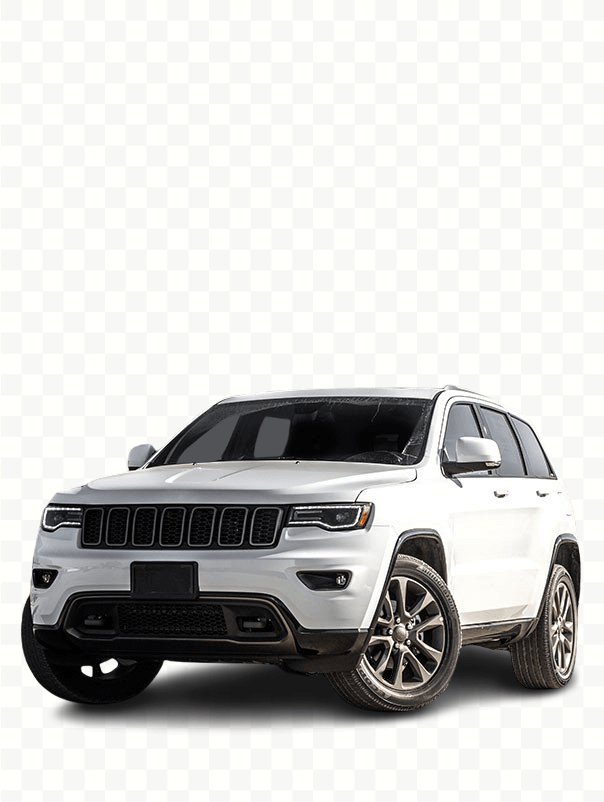 After
AfterWhy use no bg photo
A clear workflow from upload to download, without moving between different editors.
Everything on one page
Upload the file, follow the processing status, review the result and download it in one workflow.
Transparent PNG output
Use the finished image in layouts, product listings, presentations and social posts.
Visible transparency preview
A checkerboard backdrop makes transparent areas and object edges easier to inspect before downloading.
Clear processing states
The interface shows file validation, upload, processing, success and actionable error states.
Choose credits for clean PNG files
One anonymous clean result is free and never resets. After that, sign in and use 2 credits for each successful clean result.
One anonymous result free
$0
Use one clean transparent PNG without signing in. The anonymous trial is limited to one per device/IP and never refreshes.
- One clean PNG without an account
- No daily reset
- Signed-in results cost 2 credits
Pay as you go
$3
Up to 40 clean images
- 80 credits included
- 2 credits per successful image
- Clean transparent PNG download
Pro
$19
Up to 360 clean images
- 720 credits included
- 2 credits per successful image
- Clean transparent PNG download
Volume
$79
Up to 1,800 clean images
- 3,600 credits included
- 2 credits per successful image
- Clean transparent PNG download
The exact price and credit amount are shown before payment. Failed processing releases reserved credits. Taxes, if applicable, are calculated by the payment provider.
PNG Background Remover questions
File formats, result quality, upload, credits and downloads.
What is a png background remover?
Which files can I upload?
Do I get a transparent PNG?
Why can object edges look imperfect?
Do I need to install software?
Can I remove a background on my phone?
What happens if processing fails?
Is this unlimited and free?
Questions about an upload or payment? Contact support.
Try background removal online
Upload a JPG, PNG or WebP, review the result on a transparent background and download the PNG when it meets your needs.